
Use Digital Poster Files to Cut Costs

I have my students to participate in self-reflections after each chapter and marking period. I ask my students to reflect on their learning process, the learning environment, and my teaching. Students reported the posters were the best part of the classroom and made learning math more manageable. I would agree that students are able to work through more math skills independently since I have invested in detailed posters.
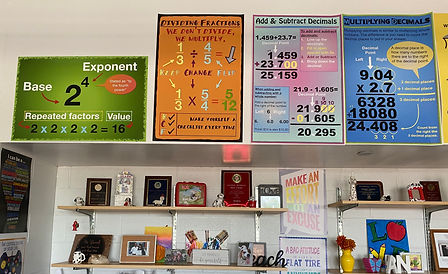
I will advocate all day for math posters that help students navigate new skills. Posters can be expensive. A full stock of posters is a large investment into a classroom. When I was asked to switch grades one of my first thoughts was about how I already spent so much money on posters and would have to start all over. If you are like me and see the value in providing posters as a resource and also like to also save money I have some tips to share. I would like to make available my posters as digital files to be printed at the vendor of your choice. I would also like to share a little secret about where you can save money on printing --> Walgreens.
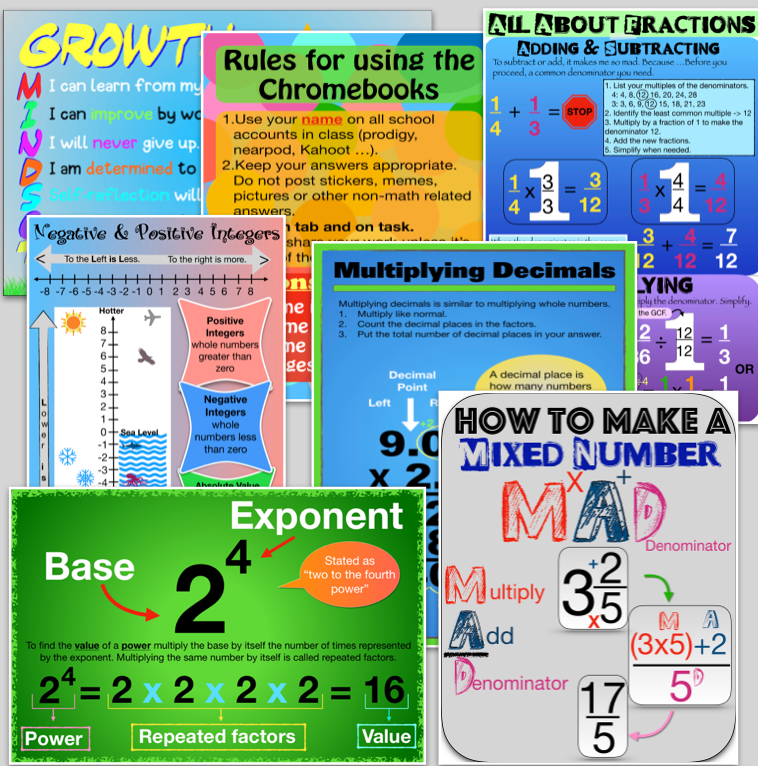
Walgreens photo always has sales for 40-60% and a few times a year they offer 75%. When the sale is 75% I always opt to print a few of my favorite size poster (20 x 30). The cost goes from $23.99 to about $6. You can buy a beautiful poster your students will love for a total cost of $9 when you purchase a digital poster from my library and print at Walgreens. The added bonus of printing at Walgreens is that if you have a local Walgreens you can pick it up for free. You never have to pay for shipping.
Here is how to get your posters cheap:
Purchase a digital poster file from my library or from my Teachers Pay Teachers store.
Save your file some place you will be able to find it. Pay attention to the name, so you can locate it.
Create an account on Walgreens photo site.
Check what promotion they are running. It will be listed as a large photo banner or in a grey banner at the top of the page with the promo code. Jot the code down.
Click "posters" at the top. When on the posters page scroll and click "posters" again.
Choose your size and follow the prompts to upload and orient your downloaded digital poster photo file. You must select the poster size of the file.
I sell all of my digital posters at the 20x30 size. You can resize the photo to a smaller size for free on a Mac or PC. I recommend duplicating the file first so you retain the original file. When you are in the resize menu unselect "maintain aspect ratio." Be sure to switch your units to inches to type in the size of the poster you would like to print. If you need a different size and you can not figure out how to resize the poster email teachingmorethanmath@gmail.com and I should be able to send you the size.
I am not affiliated with Walgreens and do not receive any money for referrals.


Comments